


Carplay Activation OBD Dongle
Carplay Activation OBD Dongle
In stock

 Delivery between -
Checking nearest pickup location…
Mercedes NTG5S1 CarPlay & Android Auto Activation
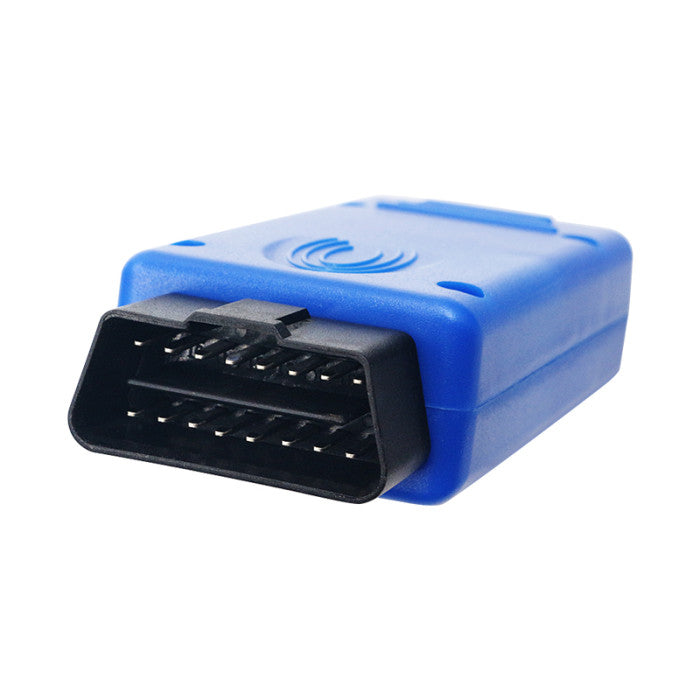
The NTG5S1 activation tool is a plug-and-play solution designed to unlock Apple CarPlay and Android Auto in your Mercedes-Benz. This is a OBD-only activation, meaning no hardware changes or physical installations are required.
Compatibility
This tool is compatible with the following Mercedes-Benz models manufactured from January 2016 onward:
- A-Class (W176)
- B-Class (W246)
- E-Class (W213)
- CLA-Class (W117)
- GLA-Class (W156)
- GLE-Class (W166)
- GLE Coupe (W292)
- CLS-Class (W218)
Installation takes only 5 minutes. We have an installation video available for you below to guide you through the process.
Important Requirements
- VIN Check: To ensure compatibility, please provide your VIN number via WhatsApp or email before ordering.
- Siri: Ensure Siri is enabled on your iPhone for CarPlay to function correctly.
- Cables: Use only high-quality or original manufacturer cables to ensure a stable connection.
- Device Support: Compatible with iPhone 5 and newer. Android phones must support Android Auto.
Activation Options
We offer remote activation by sending you the necessary OBD dongle. Simply plug it in, and we will handle the activation process remotely to unlock navigation, music, and apps directly on your factory display.
Installation
- Switch the ignition to ACC mode (accessory mode) without starting the engine.
- Plug the OBD2 tool into the diagnostics socket (located under the steering wheel near the A-pillar).
- The vehicle’s screen will display "DIAG." Wait approximately 10 seconds for the system to restart.
- Once the reboot is complete, unplug the OBD2 tool.
- Connect your smartphone using an original charging cable to begin using CarPlay or Android Auto.
What's included?
What's included?
AI-BOX
Our AI-Box comes with multiple apps installed, wireless Carplay & Android Auto, and the USB(C) cable

Technical Specifications
| Processor | Qualcomm |
| RAM | 4GB |
| ROM | 32GB |
| Expandable Storage | SD memory card support |
| Operating System | Android 13 (works with iPhone and Android) |


Compatibility
Compatibility
Our AI-Box works with the Apple Carplay in your car.
If you want to make sure that our box will be compatible with your car, feel free to send us a Whatsapp message, or give us a call. We will provide you with a video to demonstrate our box on your specific car model. We have example videos of almost all car models.
2 years warranty
2 years warranty
All our products comes with a 2 years warranty. Doesn't work or you experience problems? We'll solve them, return your money, or send you a new product. Why we do this? Because our experience is that all our customers are 100% happy and we never get any return.
Plug & Play
Plug & Play

Simply plug it into your car's USB port, and you're ready to go. It will connect automatically with your car. Go to the media menu where you're able to connect a new device. You'll find the name "MyCar AI-Box". Connect it as you connect any Apple Carplay device.
Compatible with your car model if it is equipped with Apple Carplay.

Our AI box runs on its own Android operating system, developed by us per car brand. It runs both Apple Carplay and Android Auto.


Apps
Legal: you'll have to log in your own, official account on streaming services like Netflix, the box comes with the official apps from the Google Playstore.


Collapsible content
FAQ
Find the Answer on your question
- Connect your phone’s hotspot
- Insert a SIM card with mobile data
- Wired Apple CarPlay
- Android Auto (for Android systems)
Not sure? Send us your car brand, model, and year — we’ll verify it for free.